Free online truss calculator.
Fun intended.
More serious than a bridge builder game, less scary than a CAD app.
Features
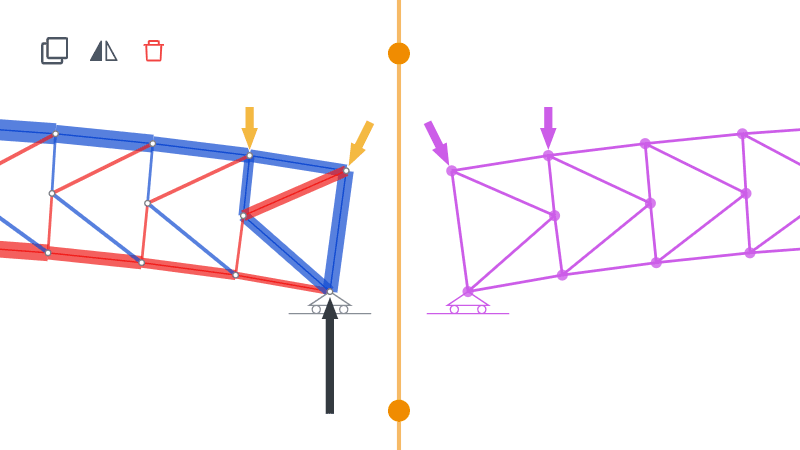
Build by drawing
Draw and erase members like a pencil, then mirror, clone or rotate — build up to complex trusses
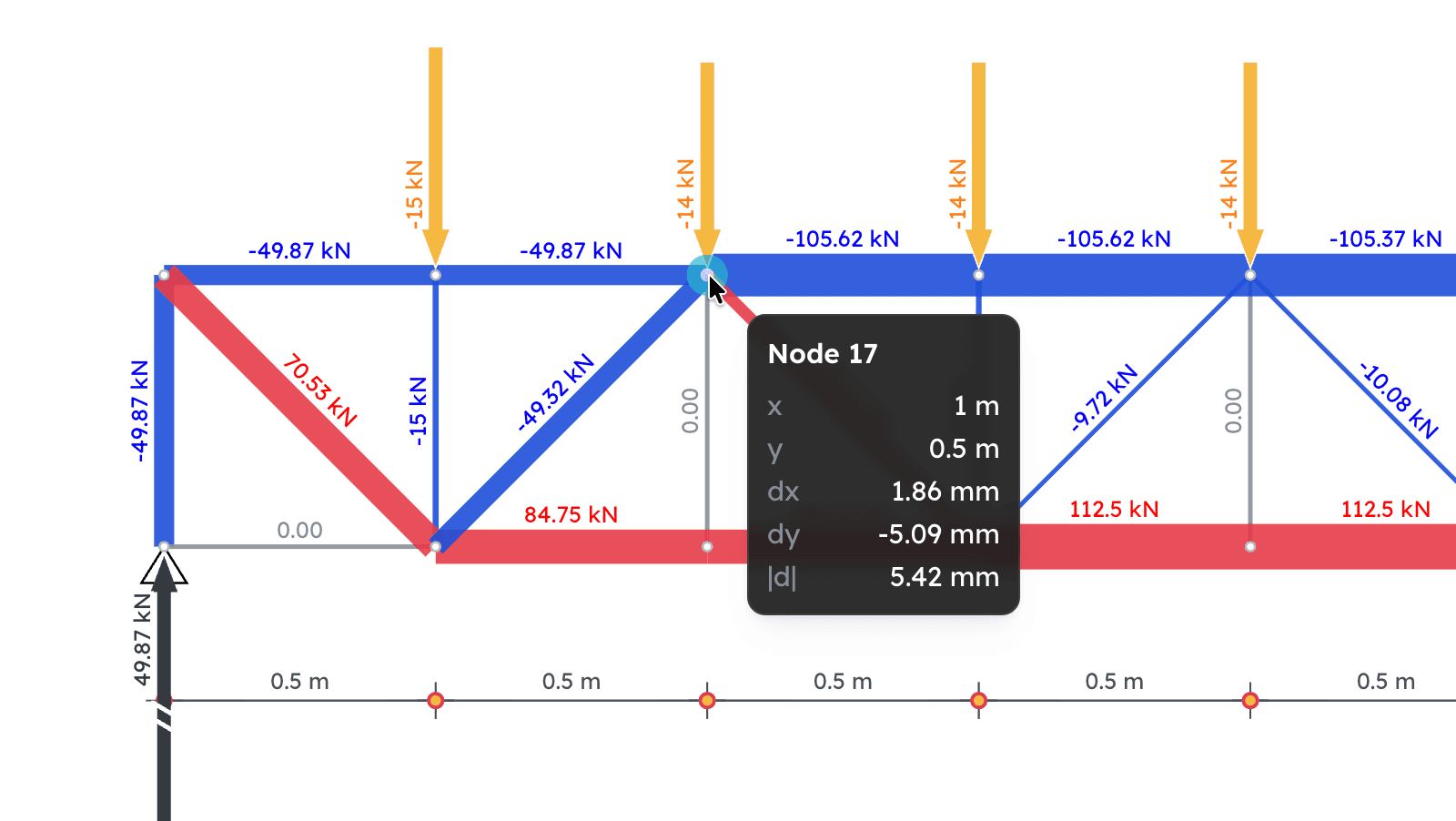
Instant results
No analysis button — draw and get results instantly. Drag anything and they update live: internal forces, reactions, stress and more
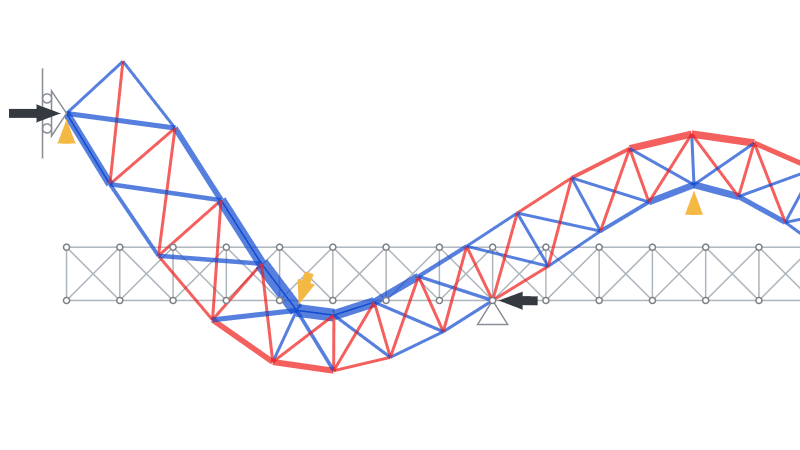
Animations
Watch it bend under load, scrub or ramp the animation, and even promote the deformed shape into new geometry
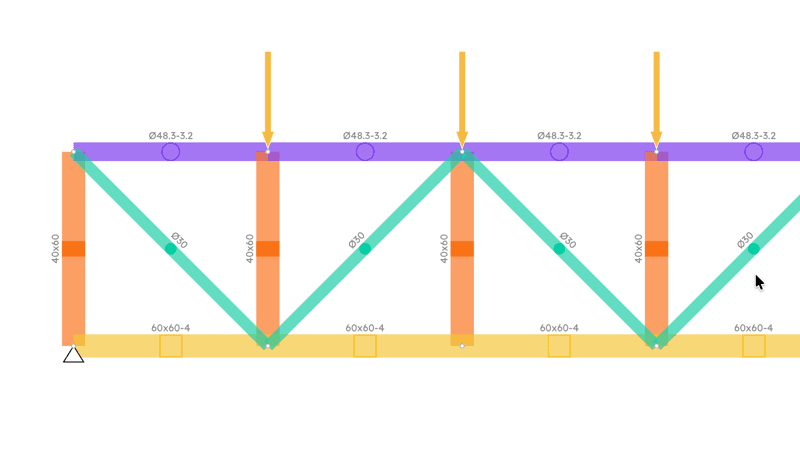
Material & section input
Real E and max-stress values, in round, tube, rectangular, hollow or custom cross-sections — feeding the real displacements, and the stress, utilization and buckling checks
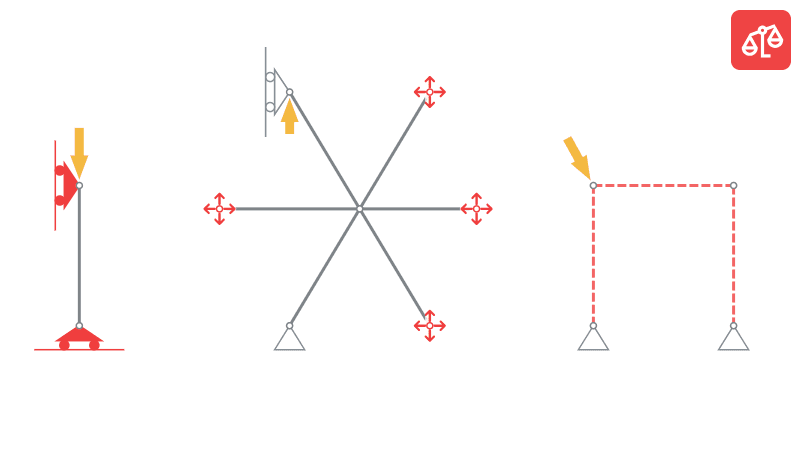
Stability check
Get a heads-up when a structure is unstable or under-supported — parallel supports, a free-floating node, not enough restraints — before you trust the numbers
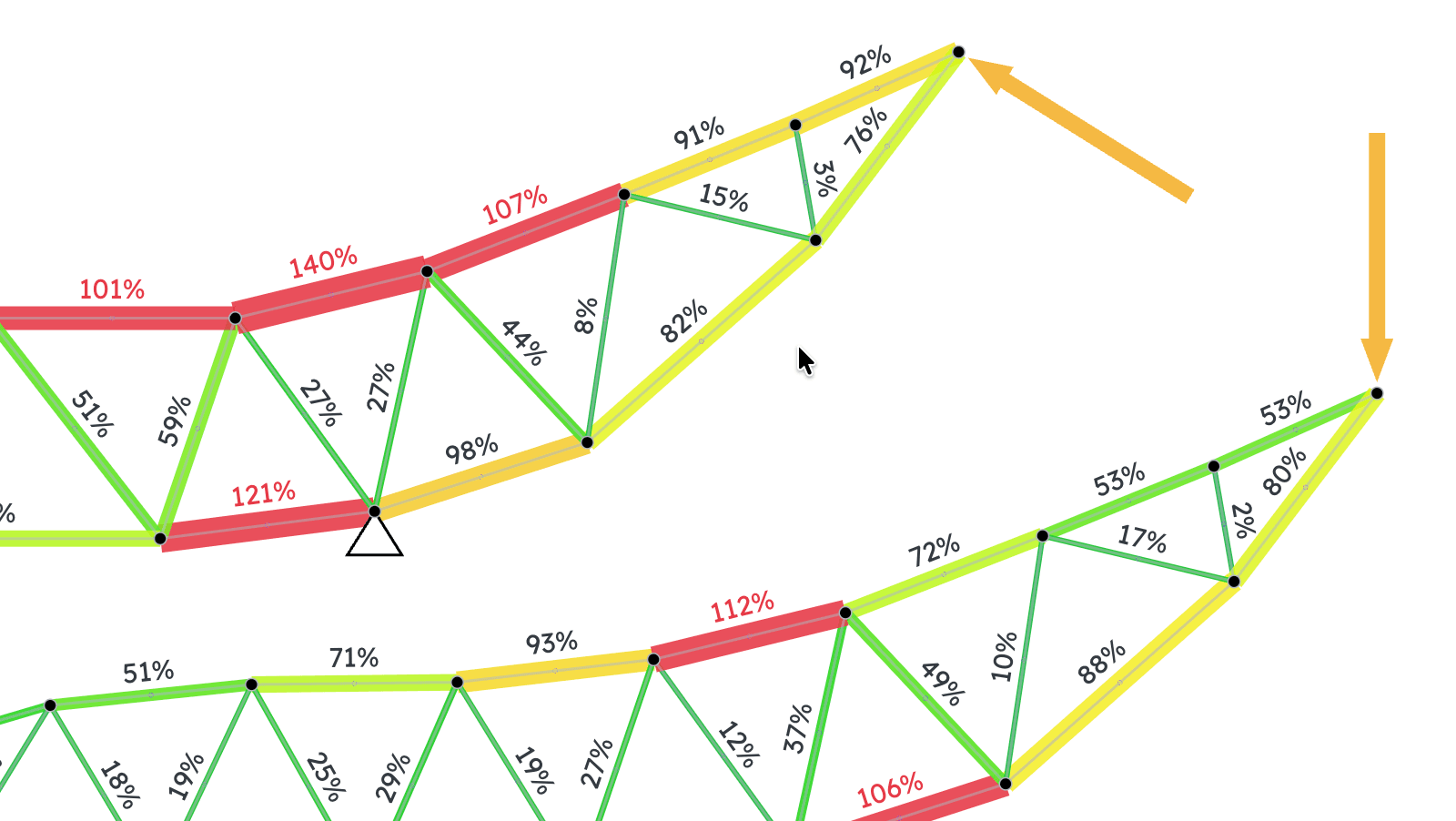
Strength & buckling checks
See the stress (F/A) in every member, its utilization against the material's max stress, and buckling risk from Euler's formula using the real moment of inertia
Learn the basics
What is a truss?
The parts of a truss, why it's made of triangles, and the four simple ideas behind every truss calculation
Tension and compression
Every truss member is either pulled or pushed. How to tell which, and why it matters
Force components
How to split a force into a horizontal and a vertical part, and put it back together
Guides
Getting started
Build your first truss — a simple triangle — and read off its reactions and member forces
Working with AI
Let an AI design or change your truss, then bring its answer back into Truzme
Teaching with Truzme
Why teachers use Truzme in class, how to fit it into a lesson or an assignment, and what it does (and doesn't do) with student data.
Stability check
Simple rules that keep a truss stable, and how Truzme tells you when one can move
Strength & utilisation
How Truzme checks a member's stress against its material's strength, and how to read the Utilisation panel and diagrams.
Buckling
How to turn on the buckling check in Truzme and read its results
What people are saying
A few of the kind words I've received — and there's always room for more.
“Truzme allows students to check their work and get instant feedback. [...] As a teacher this is the Holy Grail scenario for apps. Thank you so much for your contribution to the engineering world!”
“Finding a fully-featured, easy to use, interactive truss solver has been a challenge for many years. [...] Thank you Norbert, you have really cool software, and you share it with the world it is very kind!”
“A remarkable tool! I'm getting addicted to it! Congrats!”
“I just learned about it today thanks to a student who shared it with me. Pretty cool tool to explore structural engineering and truss designs.”
“Interesting, easy-to-use tool for simplified analysis / estimates. Congrats for your work!”
Used Truzme? I'd love to hear about it. Send me a message or leave a review on Buy Me a Coffee.
Free? Where's the catch?
There's a whole page dedicated to answering that